Gitleaks-Secret-Scanning
Secrets in Git – Detection & Prevention Using Gitleaks
A practical demonstration of detecting and preventing committed secrets using both GitHub Advanced Security and Gitleaks in a CI/CD pipeline. This project was developed as a 10-minute demo for CSEC141 (Fall 2025) and serves as a portfolio example for DevSecOps practices.



Why Secrets Scanning Matters
Accidentally committing secrets like API keys or passwords to a public repository can expose sensitive systems to attackers. Even brief exposure can lead to:
- Unauthorized access to cloud resources
- Data breaches or service disruptions
- Costly incident response and key rotation efforts
What Counts as a Secret?
A “secret” can be any sensitive value not intended for the public:
- API keys (AWS, Azure, GCP)
- Database connection strings
- Access tokens or SSH keys
- User credentials or OAuth secrets
GitHub Advanced Security
-
Built-in Secret Scanning: All public repositories automatically have GitHub’s native secret scanning enabled. It alerts repo owners when known secret patterns, such as AWS Keys, are pushed.
-
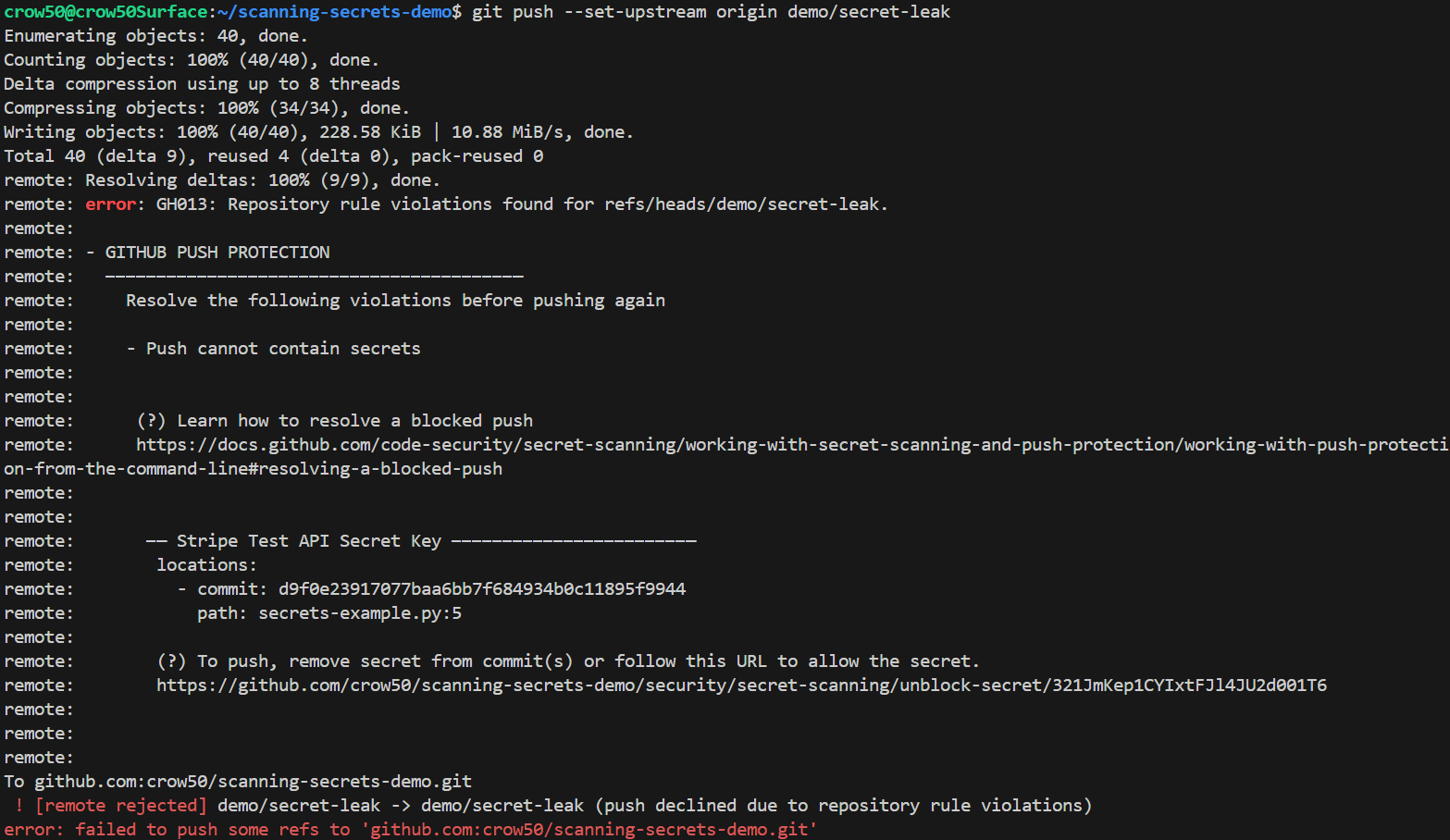
Push Protection: Blocks commits containing supported secret types before they leave the local environment.
-
Limitations:
- Only covers predefined secret patterns
- No custom rule support
- Alerts after-the-fact unless Push Protection is enabled
Gitleaks Integration in CI/CD
Gitleaks is an open-source secrets scanning tool. In this demo, it is integrated into a GitHub Actions workflow to:
- Scan commits and pull requests for known and custom patterns
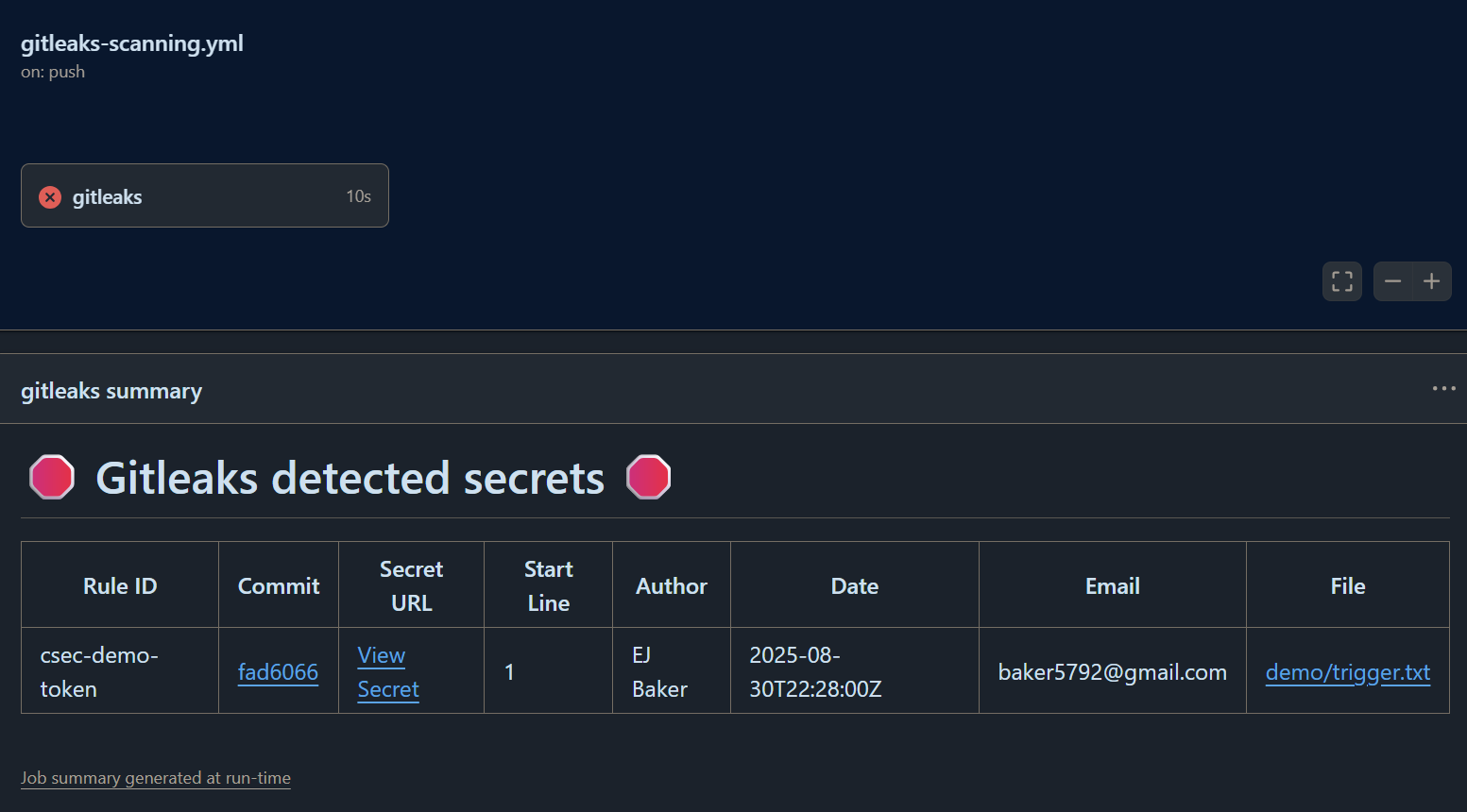
- Fail the CI pipeline if secrets are detected
- Provide auditable logs for security reviews
Key advantages:
- Supports custom regex rules for org-specific secrets
- Detects high-entropy strings likely to be secrets
- Works on local hooks (pre-commit) and CI pipelines
Check out the playground on their main site and test your configs.
Git-Filter-Repo
Git-Filter-Repo is a powerful git history rewriting tool that replaces git filter-branch with a faster, and more flexible alternative. Useful for removing committed secrets, large files, or sensitive metadata from a repository’s history.
- Use cases
- remove secrets, strip large blobs, rewrite author details, split/merge repos.
- Caution: rewriting history changes commit hashes — coordinate with collaborators and force-push carefully.
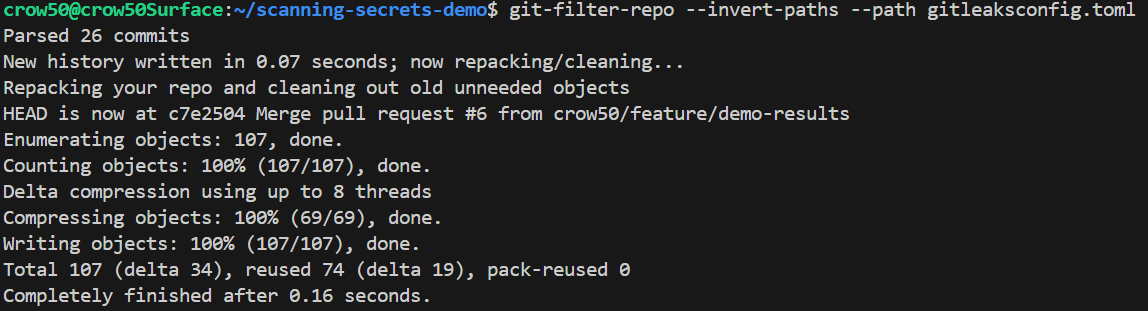
Example: remove a file named gitleaksconfig.toml from all commits:
git-filter-repo --invert-paths --paths gitleaksconfig.toml
Gitleaks Pre-Commit Hooks
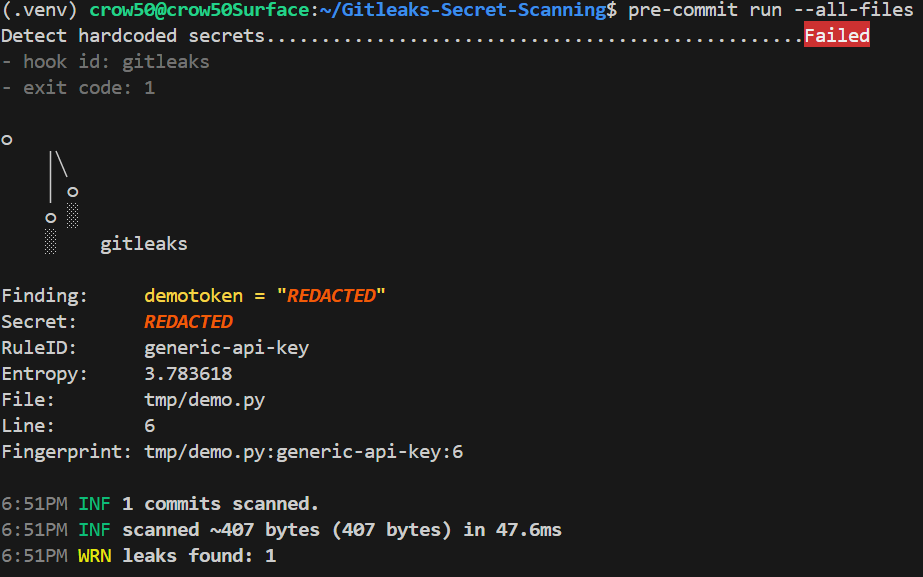
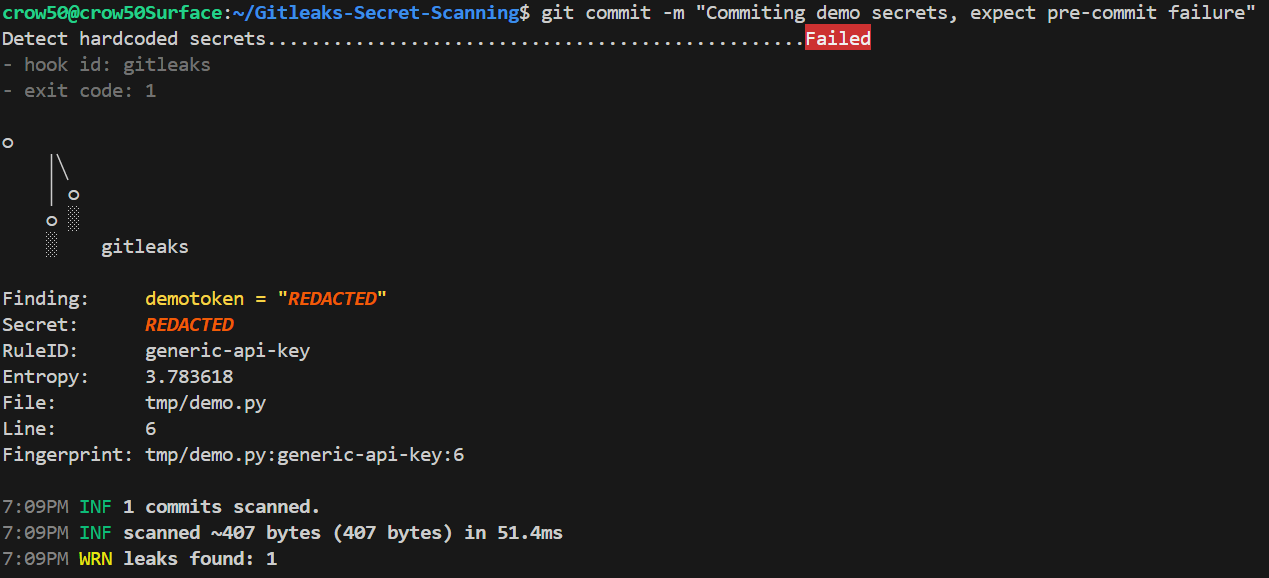
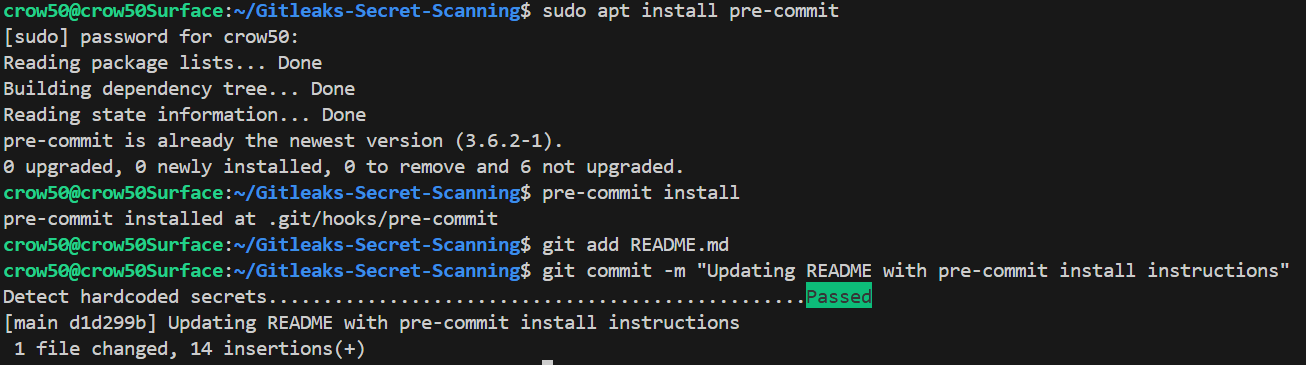
Gitleaks can run as a pre-commit hook to stop secrets before they reach local commits. A lightweight local gate that scans staged changes, fails commits containing likely secrets, and encourages early remediation.
Why use it locally?
- Prevents accidental commits of API keys, tokens, or high-entropy strings
- Faster feedback loop than waiting for CI
- Enforce project-specific rules with custom config
Setup (pre-commit framework)
# .pre-commit-config.yaml
repos:
  - repo: https://github.com/gitleaks/gitleaks
    rev: v8.24.2
    hooks:
      - id: gitleaks
Install and use
sudo apt install pre-commit # Linux
pre-commit install           # enables the hook for this repo
pre-commit run --all-files   # test existing files
Project Structure
Gitleaks-Secret-Scanning/
|- .github/workflows/
|-- test.yml
|-- gitleaks-scanning.yml
|- assets/ # Image Assets
|- src/
|-- __init__.py
|-- app.py
|-- utils.py
|- tests/test_app.py
|- .gitignore
|- .pre-commit-config.yaml
|- LICENSE
|- README.md
|- requirements.txt
Demo Workflow
- Native Protection - Show GitHub blocking a known secret pattern via Push Protection.
- CI/CD Enforcement - Push code containing a fake secret -> Gitleaks scans -> pipeline fails.
- Remediation - Remove the secret, push clean code -> pipeline passes.
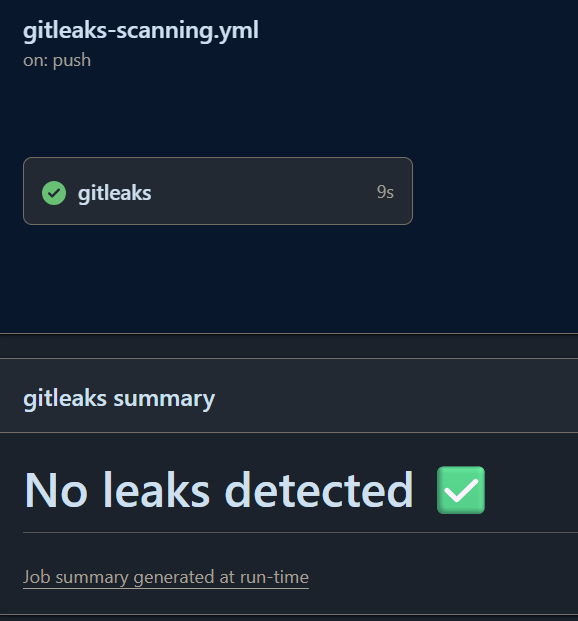
- Git Filter Repo Remediation - Remove the secret file from the repo commits history -> new repo with same pipelines
Local Development
To run demo files:
# Activate Python venv
python3 -m venv .venv
source .venv/bin/activate

# Install requirements
pip install -r requirements.txt

# Run the app
python3 -m src.app

# Run tests
python3 -m pytest -q

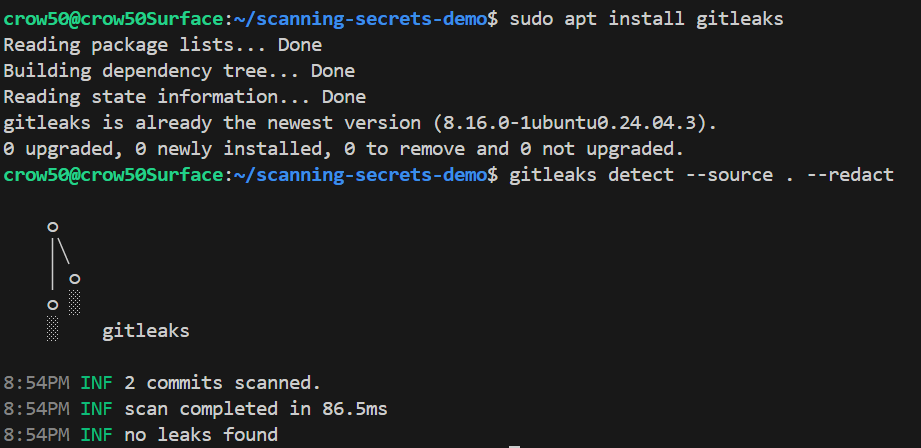
To run Gitleaks locally (Optional):
# Install gitleaks
brew install gitleaks   # Mac
choco install gitleaks  # Windows
sudo apt install gitleaks # Linux

# Run scan
gitleaks detect # --source . # set source string default $PWD # --no-git # to scan current repo dir # --redact # to redact secrets from logs and stdout
Purging leaked secrets:
brew install gitleaks   # Mac
choco install gitleaks  # Windows
sudo apt install gitleaks # Linux

# Analyze
mkdir -p .git/filter-repo
git-filter-repo --analyze # Outputs files to .git/filter-repo/analysis/

# Dry-run
git-filter-repo --dry-run --invert-paths --path # Outputs files to .git/filter-repo/

# Run Filter
git-filter-repo --invert-paths --path # Invert only affects files in --path string

# Force update current repository
git push --force --mirror origin

Adding pre-commit hooks to environment:
# Option 1. globally install pre-commit
sudo apt install pre-commit

# Option 2. install pre-commit in venv
source .venv/bin/activate
pip install -r requirements.txt

# Install pre-commit hooks
pre-commit install # Assumes .pre-commit-config.yaml is at the root of dir
 —
—
License
This project is licensed under the MIT License.